

Overview
Starting an AI journaling routine is simple: reuse one chat/thread, keep entries short, and capture a small daily action. The method below is tool-agnostic and works in any major assistant. For definitions, benefits, and tool comparisons, open the AI Journaling hub.
The 5-Minute AI Journaling Routine
- Set up once: Create a “Daily Journal” chat/thread. Paste the coach instruction below.
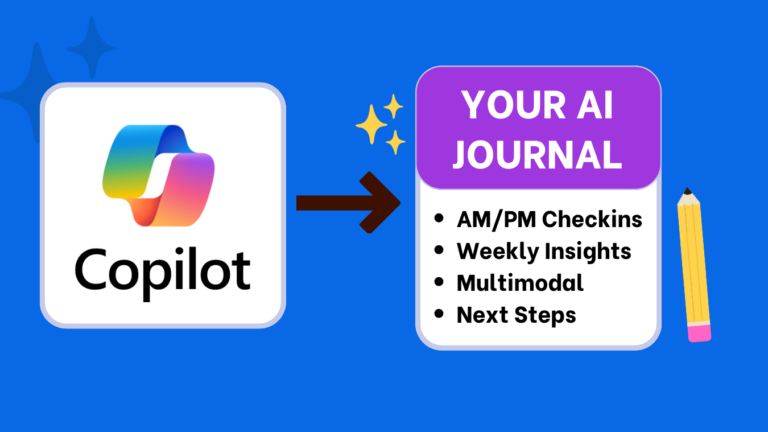
- AM (3 min): intention → one focus → tiny action → 2-line summary.
- PM (3 min): win → lesson → challenge → helpful reframe → 2-line summary.
- Weekly (10 min): themes → highlight → lesson → two experiments for next week.
- Export/backup: keep a lightweight weekly snapshot in Docs/Notion/Markdown.

Step 1 — One-time setup
Goal: Reuse a single thread so tone and context stay consistent.
Paste this coach instruction once
-
Act as my journaling coach. Keep a warm, concise, non-judgmental tone.
AM: ask intention, one focus, and one tiny action before noon.
PM: ask one win, one lesson, one challenge; offer a realistic reframe and one micro-improvement for tomorrow.
For every entry, end with a 2-line summary and one tag (mood or topic). Keep outputs ≤120 words.
Why it works
Constraints reduce friction. Short entries increase consistency. Summaries make weekly reviews fast.
Step 2 — Morning check-in (AM)
Goal: Start with clarity and one doable action.
Paste-ready AM template
-
It’s my AM entry. Ask:
1) What matters today?
2) One focus?
3) One tiny action before noon.
Return a 2-line summary and restate the action.
Tip: schedule the tiny action on your calendar before closing the tab.
Step 3 — Evening reflection (PM)
Goal: Close the loop and reset.
Paste-ready PM template
-
It’s my PM entry. Ask:
1) One win,
2) One lesson,
3) One challenge.
Offer a realistic reframe and one micro-improvement for tomorrow. End with a 2-line summary.
Optional — Voice journaling (hands-free)
Goal: Capture thoughts quickly; let AI tidy and tag.
Paste-ready voice template
-
Transcribe this 60–120s voice note. Clean wording. Ask one clarifying question.
Summarize in 2 lines and add one tag (mood or topic).
Weekly review (10 minutes)
Goal: Spot patterns; choose two experiments.
Paste-ready weekly template
-
From this week’s entries, list:
• Themes,
• One highlight,
• One lesson,
• Two small experiments for next week.
Limit to ≤120 words.
Export & backup
- Copy AM/PM summaries to Docs/Notion/Markdown at week’s end.
- Name files like
Journal-YYYY-MM-DD-wkNNfor easy search. - Keep snapshots light so you can switch tools later without friction.
Pick a tool (2-line decisions)
- ChatGPT: fast, flexible, broad prompts → How to Journal with ChatGPT
- Gemini: multimodal, Android/Pixel friendly → How to Journal with Gemini
- Claude: thoughtful long-context weekly reviews → How to Journal with Claude
- Microsoft Copilot: free GPT-4 flow in Windows/Edge → How to Journal with Copilot
- Atlas: browser-driven entries and summaries → Journaling with Atlas
- Google Pixel Journal: Android App for reflections → How to Journal with Pixel Journal
Unsure? Compare features, privacy, and costs in Best AI for Journaling: ChatGPT vs Gemini vs Claude vs Copilot.
Privacy basics
- Redact names/identifiers; use initials or roles.
- Write privately first for sensitive topics; reflect on summaries in your tool.
- Review account and data-sharing settings quarterly.
- Store weekly snapshots locally; sync summaries if needed.
Details and local-first options: Private AI Journaling.
Next steps
- Pin this page and paste the coach instruction today.
- Run a 3-minute AM entry and schedule the tiny action.
- Pick a tool guide to follow tomorrow morning.
Beginner FAQs
How long should a beginner spend each day?
3–5 minutes AM and 3–5 minutes PM. Short and consistent wins.
Which tool should I start with?
Pick based on device and needs. Start fast with ChatGPT, go multimodal with Gemini, or try Copilot if you’re on Windows. See the comparison.
Do I need a paid plan?
No. Free tiers work for short entries and weekly summaries. Paid plans mainly extend context/history.
Where should I store entries?
Anywhere you’ll open tomorrow: Google Docs, Notion, Obsidian, or calendar notes. Export a weekly snapshot.
Conclusion
How to start AI journaling in practice: one reusable thread, a 3-minute AM/PM cadence, and a 10-minute weekly review. Keep snapshots portable and evolve your prompts as you go. When ready, follow a tool-specific walkthrough from the links above.