
Overview
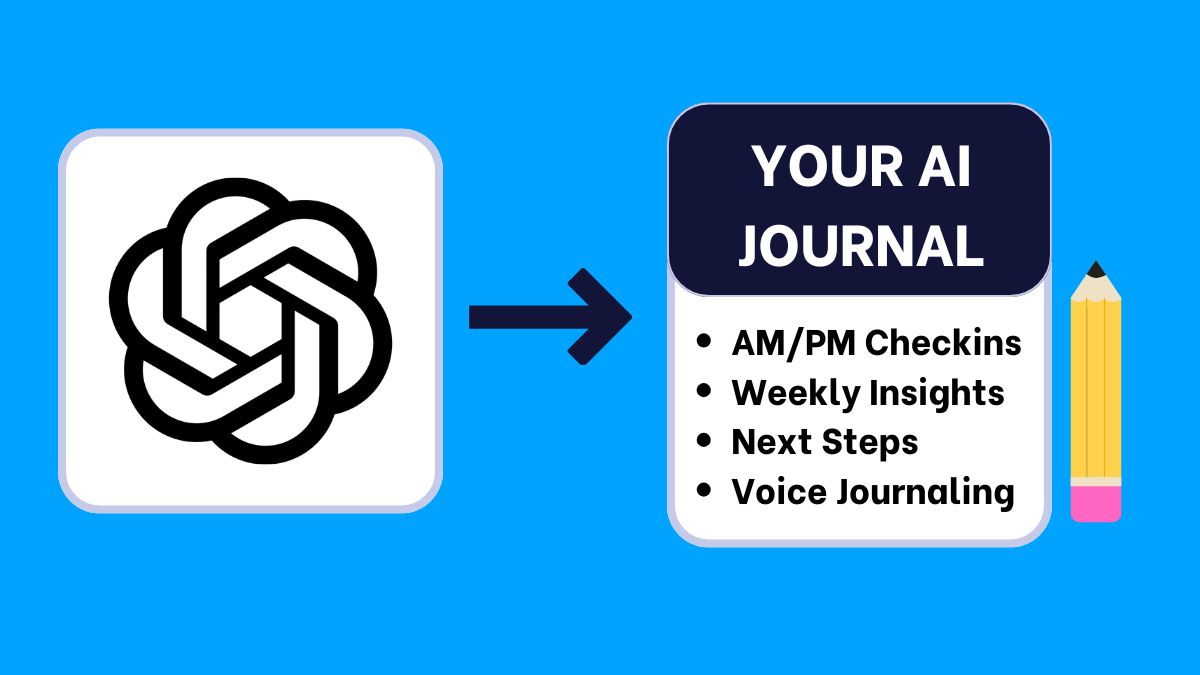
Journaling with ChatGPT turns my check-ins into clear informative insights. I reuse one ChatGPT chat thread, paste a short “ChatGPT Journaling Coach” instruction, then run my AM/PM prompts, and an optional voice flow, and a weekly review. Each of my journal entries ends with an organized summary and one realistic next step. Get started easily with my ChatGPT workflow below, then explore the full AI Journaling Hub for free AI journal tool comparisons and prompts.
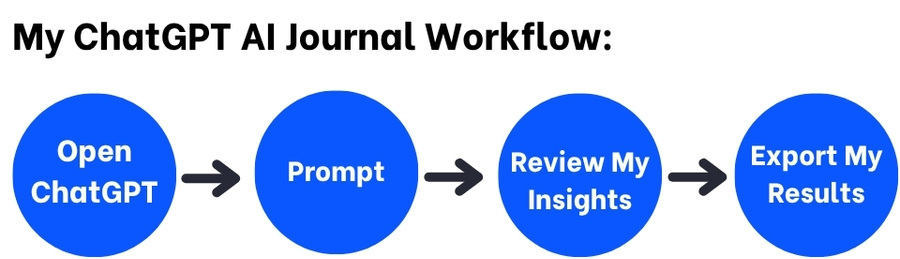
My ChatGPT Journaling Workflow
- Set up once: Create a single “Daily Journal” thread and paste the ChatGPT journal instruction below to get started.
- AM prompt (3 min): Intention → one focus → tiny action → 2-line summary.
- PM prompt (3 min): Win → lesson → challenge → reframe → 2-line summary.
- Optional voice: Speak 60–120 seconds, then get a tidy takeaway + tag.
- Weekly review (10 min): Themes, highlight, lesson, two experiments for next week.
- Export/backup: Keep weekly snapshots; stay portable across tools.
Step 1 — AI Journal One-time setup
Goal: Reuse a single thread so ChatGPT keeps your context and your tone stays consistent.
Paste this ChatGPT journal instruction once
-
Act as my journaling coach. Keep a warm, concise, non-judgmental tone.
AM: ask intention, one focus, and one tiny action before noon.
PM: ask one win, one lesson, one challenge; offer a realistic reframe and one micro-improvement for tomorrow.
For every entry, end with a organized 2-line summary and 1 tag (mood or topic). Keep outputs ≤120 words.
Why it matters
The instruction fixes tone and structure. You won’t re-explain daily. I found consistency beats length for me.
Step 2 — ChatGPT Morning check-in (AM)
Goal: Clarity and one doable action.
Paste-ready AM prompt
-
It’s my AM entry. Ask me:
1) What matters today?
2) One focus?
3) One tiny action before noon.
Then give a 2-line summary and restate the action.
Tip: keep AM under 3 minutes. Schedule the tiny action.
Step 3 — ChatGPT Evening reflection (PM)
Goal: Close the loop and reset gently.
Paste-ready PM prompt
-
It’s my PM entry. Ask me:
1) One win,
2) One lesson,
3) One challenge today.
Offer a realistic reframe and one micro-improvement for tomorrow. End with a 2-line summary.
Step 4 — AI Voice journaling (hands-free)
Goal: Capture thoughts fast; AI tidies and tags.
Paste-ready ChatGPT voice prompt
-
Transcribe this 60–120s voice note. Clean wording. Ask me one clarifying question. Then summarize in 2 lines and add one tag (mood or topic).
Step 5 — ChatGPT Weekly review (10 minutes)
Goal: See patterns; choose two small experiments for next week.
Paste-ready weekly prompt
-
Using this week’s entries, list:
• Themes,
• One highlight,
• One lesson,
• Two small experiments for next week.
Keep the output ≤120 words.
Step 6 — ChatGPT Optional add-ons
- Gratitude & reframe: 3 gratitudes → why they mattered → one gentle reframe.
- Mood tracking: 1–5 rating + one word; ask for a 2-line pattern snap on Fridays.
- Tags: add a simple tag per entry (energy, focus, relationship, health).
Step 7 — AI Journal Export & backup
- Copy AM/PM summaries to Docs/Notion/Markdown weekly.
- Name files like
Journal-YYYY-MM-DD-wkNNfor easy search. - Keep a lightweight snapshot; you can switch tools later without losing history.
Step 8 — ChatGPT Privacy & safer prompts
- Redact names/identifiers; use initials or roles.
- For sensitive events, write privately first, then reflect on a condensed summary.
- Review data-sharing settings quarterly.
- Prefer local storage for raw details; sync summaries only.
My Copy-Ready ChatGPT Journaling Prompts
Bookmark these ChatGPT journaling prompts, and share with other journalers. They match the AM/PM + voice + weekly workflow above.
AM check-in
It’s my AM entry. Ask intention, one focus, and one tiny action before noon.
Return a 2-line summary and restate the action. Keep ≤120 words.
PM reflection
It’s my PM entry. Ask one win, one lesson, one challenge.
Offer a realistic reframe and one micro-improvement for tomorrow. End with a 2-line summary.
Voice to insight
Transcribe this 60–120s note. Clean wording. Ask one clarifying question.
Summarize in 2 lines and suggest one tag (mood or topic).
Weekly review
From this week’s entries: list themes, a highlight, a lesson, and two small experiments for next week. ≤120 words.Gratitude + reframe
Guide me through: 1) 3 gratitudes, 2) why each mattered, 3) one challenge, 4) a realistic reframe. End with a 2-line summary.ChatGPT Journaling FAQs
Do I need ChatGPT Plus?
Nope! Free works for short entries. Plus helps with longer weekly reviews and history. You can access ChatGPT free here.
How long should entries take?
3–5 minutes in the morning and evening. I have found consistency beats length.
Can I journal by voice only?
Yes. Record 60–120 seconds and run the voice prompt. You’ll still get the 2-line takeaway and a tag.
How do I keep it private?
Redact names, avoid sensitive identifiers, and keep a weekly summary file.
Where should I store entries?
Anywhere you’ll open tomorrow: Google Docs, Notion, Obsidian, or a calendar note. Save weekly snapshots. You can also prompt ChatGPT to export as a .PDF or word document!
Conclusion
With one reusable thread and a few prompts, ChatGPT journaling delivers fast clarity and steady insights. Keep AM/PM checkins short, add a weekly review, and export snapshots to stay portable. For more AI journal tool how-tos, workflows and prompts, visit GoPet’s AI Journaling Hub.
Happy journaling!